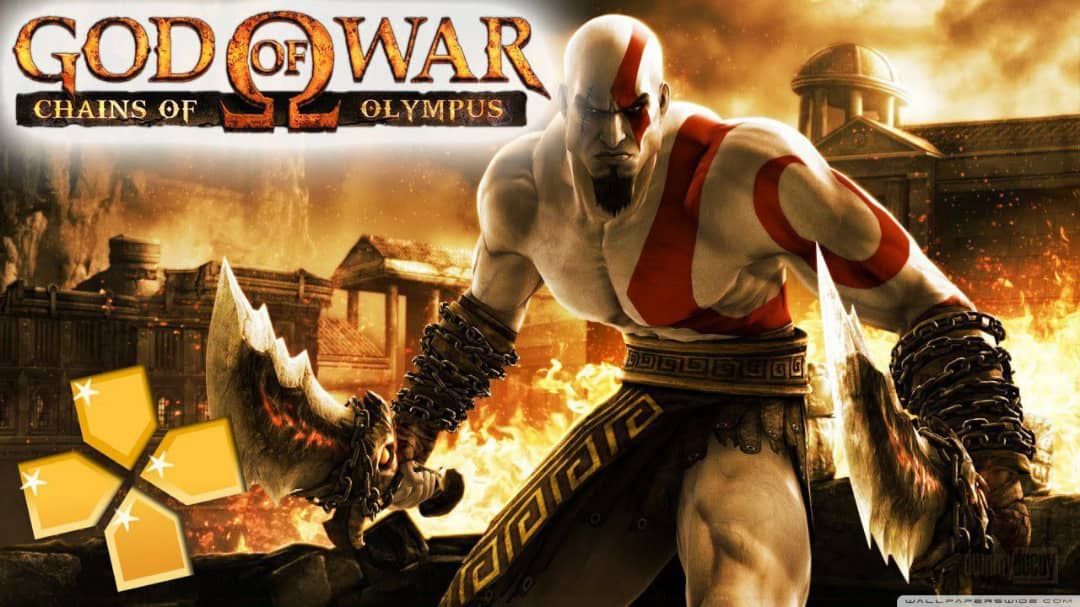
God of War: Chains of Olympus follows Kratos before the events of the first game. He's still serving the gods, still haunted by his past, and still incredibly angry. The story involves him descending into the underworld to rescue the sun god Helios, who has been captured. Along the way, you'll fight through the city of Attica, navigate the depths of Tartarus, and confront the goddess Persephone. It's a tighter, more focused story than the mainline games, but it still packs an emotional punch. The ending, without spoiling anything, adds significant depth to Kratos' character. The compressed ISO (about 1.1GB) preserves all the cinematics, voice acting, and brutal combat.
Action-Adventure / Hack-and-Slash
1.1 GB (Compressed ISO)
PPSSPP Emulator
6.0+ (Optimized)
6-8 Hours
Epic Boss Battles, Puzzles
Combat: Classic Kratos Carnage
The combat in Chains of Olympus is classic God of War. You have the Blades of Chaos, chain blades that let you whip through groups of enemies with satisfying combos. You can grapple enemies, throw them, and finish them with those signature quick-time events that made the series famous. The PSP version includes the "Arms of Sparta", a shield and spear combo that's great for defensive play and ranged attacks. Magic abilities include the Light of Dawn (a projectile attack), the Efreet (a fiery area-of-effect), and the Charon's Wrath (which drains enemy health). The controls translate well to touchscreens on PPSSPP, but I highly recommend a controller for the best experience. The QTEs require quick reactions, and having physical buttons makes a difference.
The Scale: How Did They Fit This on PSP?
I still don't understand how the developers at Ready at Dawn managed to fit this game on the PSP. The opening Basilisk fight is huge, you're running along a collapsing bridge, dodging attacks, and eventually climbing the creature to stab its weak point. The Temple of Persephone is a sprawling dungeon with complex puzzles and massive environments. The underworld sections are atmospheric and creepy, with lava-lit caverns and skeletal enemies. And the boss battles, the Basilisk, the Persian King, Charon, and Persephone herself, are epic in scale. On PPSSPP, you can upscale the resolution to 1080p, and the game still looks surprisingly good. The art direction is timeless, and the performance holds a steady 30-60fps on most devices.
Puzzles and Exploration
God of War isn't just about combat. Chains of Olympus includes a good amount of puzzle-solving to break up the action. You'll rotate ancient mechanisms to align beams of light, push blocks to reach higher platforms, and use your magic abilities to reveal hidden pathways. The puzzles aren't as complex as the console games, but they're satisfying and never frustrating. The game also includes hidden chests with experience orbs and health upgrades, exploring every corner is worth it. The level design is linear but well-paced, guiding you toward the next objective while encouraging exploration.
Installation Guide
Here's exactly how to get God of War running on PPSSPP:
Step 1: Download PPSSPP from the Google Play Store (free version works perfectly).
Step 2: Download the Chains of Olympus ISO using the button below (about 1.1GB).
Step 3: If it's a ZIP file, extract it using ZArchiver or any file manager.
Step 4: Open PPSSPP, tap "Games", and navigate to the folder containing the ISO.
Step 5: Tap the game to launch it.
Step 6: Go to Settings > Graphics. Set "Rendering Resolution" to 2x or 3x PSP for sharper visuals. Enable "Buffered Rendering" and "Hardware Transform".
Step 7: For smoother gameplay during heavy effects, enable "Frame Skipping" at 1.
Step 8: I strongly recommend connecting a Bluetooth controller, the QTEs are much easier with physical buttons.
• Upgrade the Blades of Chaos first. You'll use them for 90% of the game.
• The Efreet magic ability is great for clearing crowds, save it for large groups.
• Don't skip the QTEs. They give you bonus experience orbs.
• There are hidden health and magic upgrades in most levels, explore every corner.
• The final boss is tough. Save your magic for the second phase.
• If you're stuck on a puzzle, look for environmental clues. The game doesn't hold your hand.
Visuals and Performance on PPSSPP
The original PSP game ran at 480x272 resolution. On PPSSPP, you can upscale that to 1080p or even 4K on powerful devices. The difference is massive, textures that looked muddy on the PSP become crisp and clear. The cel-shaded style holds up well, and the particle effects (fire, magic, blood) look great at higher resolutions. On a Snapdragon 845 or newer, you can lock 60fps with resolution scaling at 2x. On older devices, drop the resolution back to 1x and enable frame skipping for a smooth experience. The game is well-optimized, even budget phones from 2018 can run it at playable speeds. The compressed ISO reduces the file size without removing any content, so you get the full campaign, all cinematics, and bonus features.
Bonus Content: Challenges and Costumes
After you beat the main campaign, there's bonus content to explore. Challenge modes test your combat skills with timed trials and limited health. Unlockable costumes (like a codpiece-wearing Kratos from the original God of War) add replayability. There's also a "New Game Plus" mode that carries over your upgrades and magic. The game is shorter than the console entries (6-8 hours), but the focus and pacing make every moment count. It's a perfect length for mobile gaming, long enough to feel substantial, short enough to not overstay its welcome.
Is This Still Worth Playing in 2026?
Absolutely. God of War: Chains of Olympus is a masterpiece of portable game design. It captures everything that makes the series great, brutal combat, epic scale, emotional storytelling, and satisfying progression, in a package that fits on your phone. The 1.1GB ISO is a steal. On PPSSPP, with upscaled graphics and a controller, it feels like a modern indie game rather than a PSP relic. If you're a God of War fan, this is essential, it fills in key parts of Kratos' backstory and sets up events for the second game. If you're new to the series, it's a great starting point, it's shorter and more focused than the mainline games, making it perfect for mobile. Either way, download it, play it, and enjoy one of the best action games ever made.