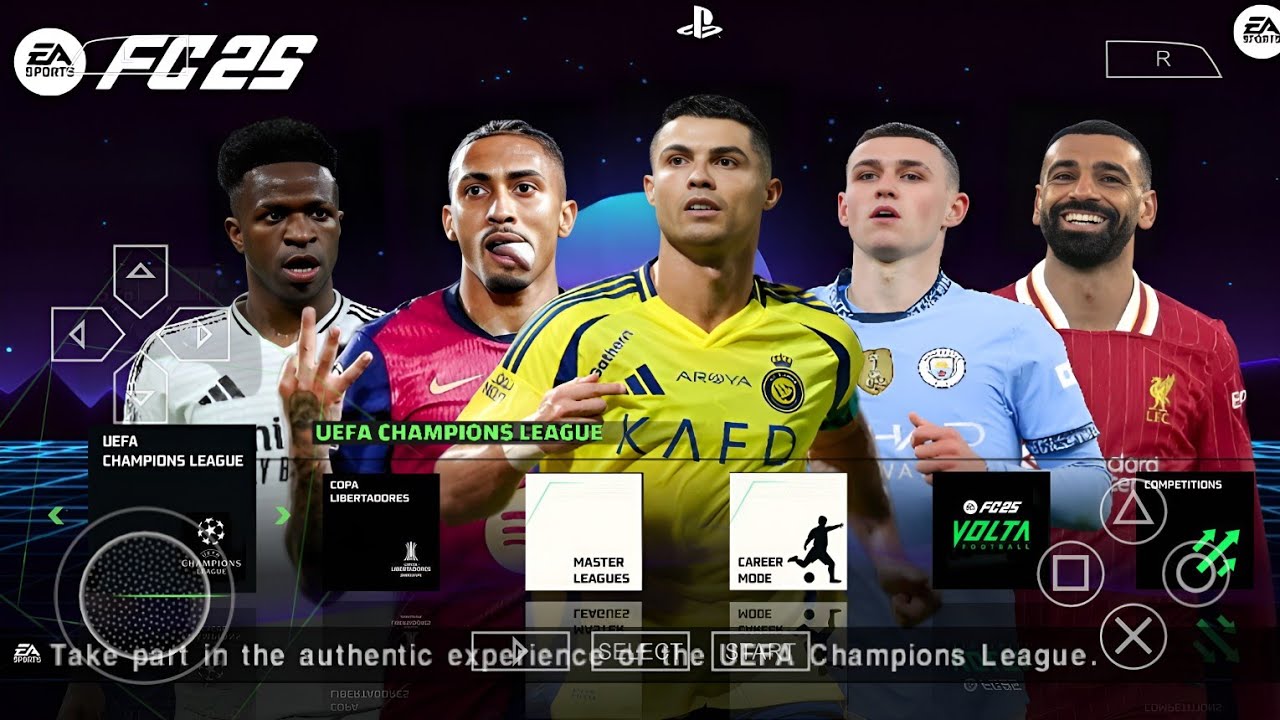
I'll be honest, when I first heard about playing PSP games on Android, I was skeptical. But PPSSPP has come a long way. This FIFA 2025 mod takes the base PSP FIFA game (which was already solid) and updates all the teams, kits, and player rosters to the 2024/25 season. You've got Haaland at Man City, Bellingham at Real Madrid, Mbappé at Real Madrid, all the latest transfers. It's not perfect (some player faces are generic), but for a game running on an emulator, it's surprisingly good. And the best part? It runs on almost any Android phone from the last 5-6 years.
Football / Sports
~500 MB (ISO)
PPSSPP Emulator
6.0+ (Works on almost anything)
Career Mode, Updated Rosters
Fully Offline
Why Play FIFA on PPSSPP Instead of Modern Mobile Games?
Let me break this down. Modern mobile football games like EA FC Mobile are designed to keep you spending money. Energy systems limit how much you can play. Card packs are basically gambling. Events are designed to create FOMO (fear of missing out). FIFA on PPSSPP has none of that. You download the emulator, grab the ISO, and play as much as you want. Career mode actually lets you manage a club over multiple seasons. The gameplay is responsive and fair, no scripting that makes you lose just to encourage microtransactions. It's refreshing. It reminds me of why I fell in love with football games in the first place.
What's Updated in This 2025 Mod
The modding community has done some solid work here. All the major leagues have updated kits, Premier League, La Liga, Serie A, Bundesliga, Ligue 1. The transfers are current as of the 2024/25 season. Some top player faces have been improved (Haaland, Mbappé, Vinicius Jr. look recognizable). The boots are updated to current models. Even the menu graphics have been refreshed with a 2025-style look. The "PS5 Camera" feature mentioned in the title refers to a camera angle mod that mimics the broadcast style from newer games, it's a nice touch that makes the game feel more modern. And yes, the commentary is still from the original PSP game, but somehow it fits the vibe.
Career Mode: The Real Star
This is where I've spent most of my time. You can take any team from any league and manage them through multiple seasons. The transfer system is straightforward, offer money, negotiate, sign players. No complicated agent minigames. Youth development is simple but effective, scout countries, find talents, sign them to your academy. Player growth is based on performance and playing time. I took over Nottingham Forest in my current save. First season: fought relegation. Second season: finished mid-table. Third season: qualified for Europa Conference League. The progression feels earned. You're not just buying wins, you're building something over time.
How to Set Up PPSSPP for FIFA 2025
Here's exactly what you need to do. It's easier than you might think:
Step 1: Download PPSSPP from the Google Play Store (the free version works perfectly).
Step 2: Download the FIFA 2025 ISO using the button below.
Step 3: If it's a ZIP file, extract it using ZArchiver or any file manager.
Step 4: Open PPSSPP, tap "Games", and navigate to the folder containing the ISO.
Step 5: Tap the game to launch it.
Step 6: Go to Settings > Graphics. Set "Rendering Resolution" to 2x or 3x PSP for sharper visuals. Enable "Buffered Rendering" and "Hardware Transform".
Step 7: Go to Settings > Controls. I recommend mapping the D-pad to the left side of your screen and action buttons to the right. Or better yet, connect a Bluetooth controller, it's a much better experience.
• Set "Rendering Resolution" to 1x PSP if your phone is older, still looks decent, runs much faster.
• Enable "Frame Skipping" at 1 if you experience lag. Totally playable.
• Turn off "Postprocessing Shader" for better performance on mid-range devices.
• The game runs at 30fps natively, don't try to force 60fps, it breaks animations.
• If the sound crackles, go to Audio and enable "Low Latency Audio".
Best Camera Settings for That "PS5" Feel
The mod includes a custom camera angle that mimics the broadcast style from newer games. To enable it: Go to Settings > Graphics > Camera Settings. Select "Broadcast" or "Dynamic" view. Adjust zoom to around 40% and height to 60%. It gives you a wider view of the pitch and feels much more modern than the default camera. The "PS5 Camera" name is a bit marketing fluff, but honestly? Once you switch to this angle, you won't go back to the default. Combined with the updated kits and player models, it really does feel like a more modern game.
Is It Worth Downloading?
Look, this isn't going to replace EA FC Mobile if you're into Ultimate Team and online multiplayer. The graphics are PSP-era (though upscaled nicely by PPSSPP). The commentary is repetitive. Some team names aren't fully licensed. But if you want a football game that you can play offline, anytime, with no ads, no microtransactions, and no energy systems? This is it. The career mode has genuine depth. The gameplay is responsive and fair. The file size is tiny (about 500MB) compared to modern mobile football games (which can be 3-5GB). And it runs on basically any Android phone.
I keep this on my phone for flights, long commutes, and anytime I just want to play a quick match without dealing with modern mobile game nonsense. Give it a shot. Install PPSSPP, grab the ISO, and play a few matches. You might be surprised how good a decade-old game can feel with a few mods.